
Use these free PDF tools to merge, split, compress and convert PDF files right in your browser, with nothing uploaded to a server. They’re made for freelancers, small businesses, students and office teams who want a quick result without an account. One page gives you seven tools: Merge PDF, Split PDF, Compress PDF, PDF to Word, PDF to PNG/JPG, PNG to PDF and HEIC to PDF.
Merge PDF files
Combine PDFs and images into one PDF, in the order you choose.
Up to 25 files, 1 GB in total on this device.
Split PDF
Extract the pages you need, or split a PDF into one file per page or per group of pages.
One PDF up to 1 GB on this device. Several files download as one ZIP file.
Compress PDF
Reduce PDF file size by re-compressing images and cleaning up the file. Text stays sharp and searchable.
One PDF up to 1 GB on this device.
PDF to Word
Turn a PDF into an editable Word document (.docx) that keeps its tables, images and formatting, or into plain text (.txt).
One PDF up to 200 MB and 2,000 pages.
PDF to PNG or JPG
Save every page, or the pages you pick, as PNG or JPG images.
One PDF up to 1 GB on this device. Several pages download as one ZIP file.
PNG or JPG to PDF
Combine images into one PDF. JPGs keep their original quality.
Up to 25 images, 1 GB in total on this device.
HEIC to PDF
Turn iPhone HEIC photos into one PDF. JPG, PNG and WebP images can go in the same PDF.
Up to 25 photos, 1 GB in total on this device.
Your files stay on this device. They are processed in your browser and never uploaded or stored.
Free PDF tools that work without uploading your files
Soft Learn Hub’s free PDF tools merge, split, compress and convert PDFs and photos entirely inside your web browser, so your files are never uploaded or stored. Pick one of seven tools, such as Merge, Split or Compress, add your file, choose options and download the result. There’s no sign-up or watermark, and files up to 1 GB work on computers with 8 GB or more of memory.
- Price
- Free, no watermark
- Account
- Not needed
- Uploads
- None; files stay on your device
- Tools
- Merge, Split, Compress, PDF to Word, PDF to PNG/JPG, PNG to PDF, HEIC to PDF
- Max size
- Up to 1 GB on computers with 8 GB+ memory; about 150 MB on phones
- Browsers
- Current Chrome, Edge, Firefox and Safari
On this page
How to use the free PDF tools
- Pick a tool.
Choose a tab above: Merge, Split, Compress, PDF to Word, PDF to PNG/JPG, PNG to PDF or HEIC to PDF. Tabs switch instantly without reloading the page.
- Add your files.
Drag files onto the tool or choose them from your device; the tool shows your device’s size limit.
- Choose your options.
Set what the job needs, such as file order, compression level, page range, DPI or page size.
- Run it and download.
Select the tool’s main button, such as Merge PDF or Compress PDF, then download the result.
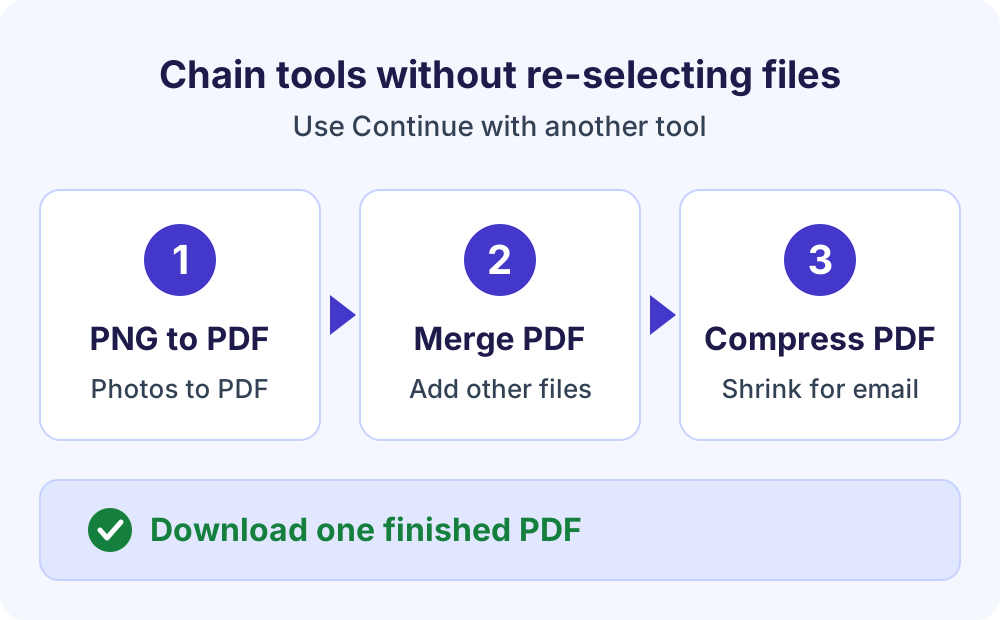
- Continue with another tool (optional).
Choose “Continue with another tool” to pass the result to another tab without selecting the file again.
The seven PDF tools at a glance
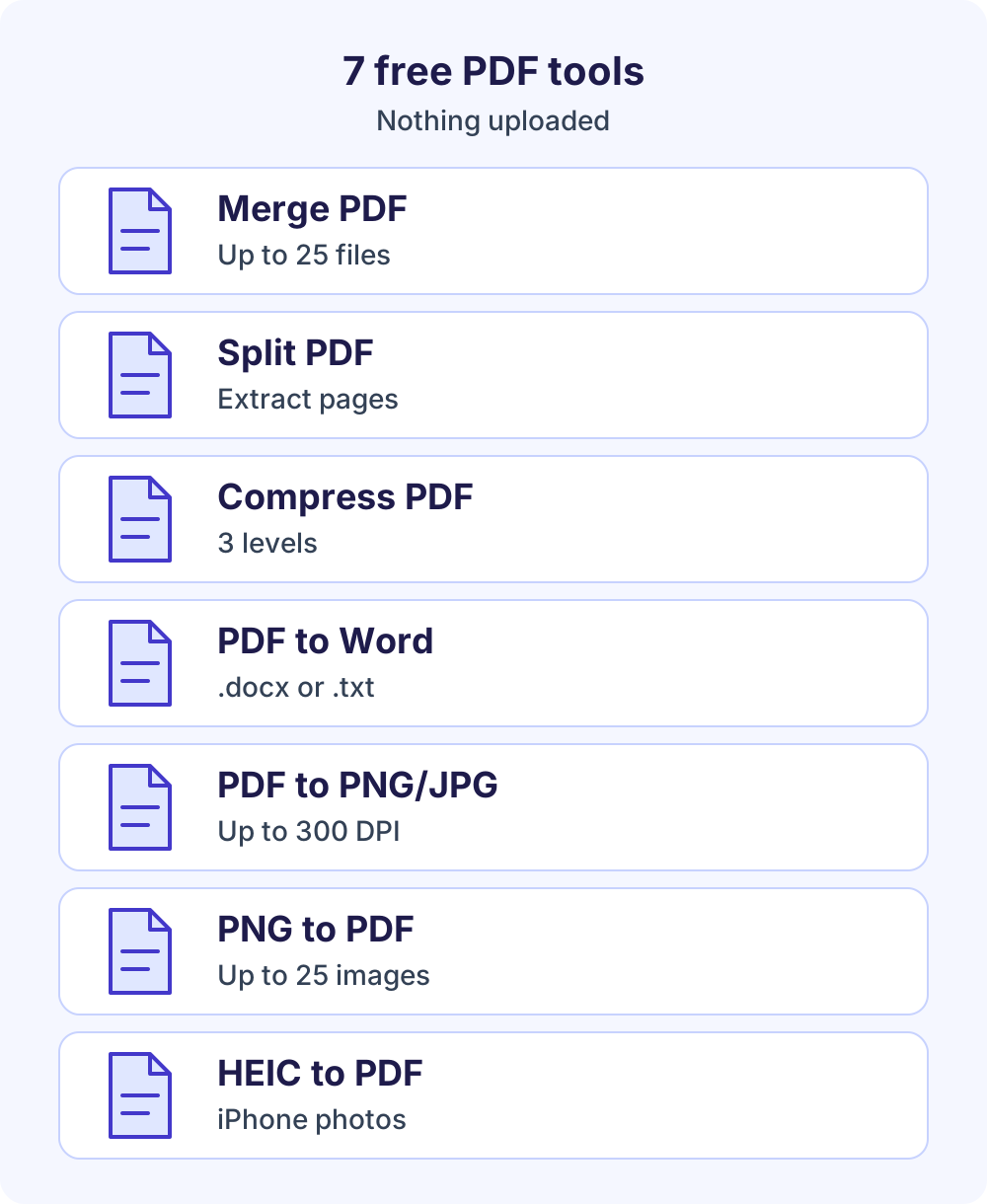
Merge PDF
Combine up to 25 PDFs and JPG, PNG, WebP or HEIC images into one file, in the order you choose. Open the free PDF merger.
Split PDF
Extract pages such as 1-3, 5 into one PDF or one PDF per range, or split every page or every N pages, with no re-compression. Several files arrive as one ZIP. Split a PDF.
Compress PDF
Choose Light, Recommended or Strong, or aim for under 1 MB, 500 KB or 200 KB. Image-heavy and scanned PDFs shrink the most. Reduce PDF file size.
PDF to Word
Turn a PDF into an editable .docx that keeps its tables, images and layout, or into plain .txt text. Charts and scanned pages come across as pictures. Convert PDF to Word.
PDF to PNG or JPG
Save every page, or a range such as 1-3, 5, as PNG (lossless) or JPG (smaller) at 72, 150 or 300 DPI. Several pages arrive as one ZIP file. Convert PDF to PNG.
PNG to PDF
Combine up to 25 JPG, JFIF, PNG, WebP, GIF, BMP or HEIC images into one PDF, with Fit to image, US Letter or A4 pages, margins and rotation. Convert PNG to PDF.
HEIC to PDF
Turn up to 25 iPhone HEIC or HEIF photos into one PDF, one photo per page; each photo becomes a high-quality JPEG in your browser. Convert HEIC to PDF.
PDF tools, no upload: how your files stay private
Many PDF tools online upload your document, process it on a server and send a copy back. These tools work on your own device instead, using open-source libraries hosted on softlearnhub.com: pdf-lib (MIT licence) to create and modify PDFs, PDF.js by Mozilla (Apache 2.0) to read and render them, and the heic-rs decoder (MIT or Apache-2.0) for HEIC photos your browser can’t read itself.
Your file is read into the browser’s memory, processed and offered as a download. It’s never sent to Soft Learn Hub or anyone else, and nothing is stored. Heavy processing runs in a Web Worker, a browser feature that runs scripts on a background thread so the page doesn’t freeze.
That matters for contracts, tax forms, bank statements and ID scans: no copy sits on someone else’s server, and you don’t wait for a transfer.
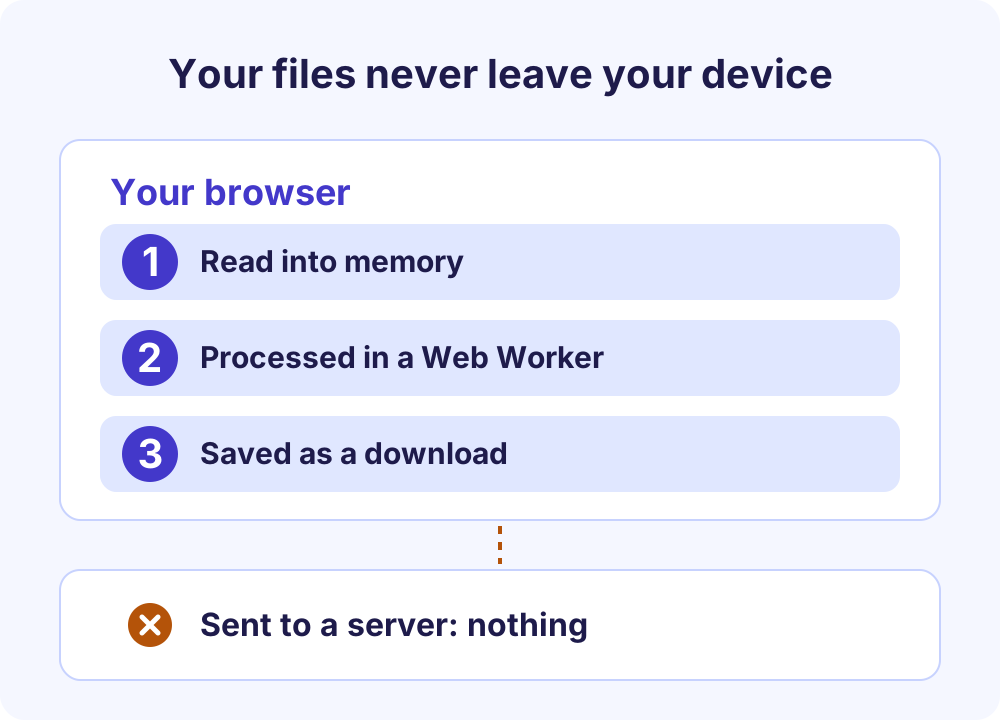
Check it yourself
In Chrome, Edge or Firefox, press F12 (Cmd+Option+I on a Mac), open the Network tab and process a file. You’ll see the page, its libraries and normal page analytics load, but no request carrying your document. Those analytics are described in the site’s privacy policy and never include your files.
This tool vs typical upload-based PDF websites
Upload-based sites can be convenient, but services vary; this is a general comparison.
| Feature | Soft Learn Hub free PDF tools | Many upload-based PDF websites |
|---|---|---|
| Where files are processed | In your browser, on your device | On the provider’s servers |
| Account | Never needed | Often needed for larger files or more tasks |
| Watermark | None | Sometimes added on free plans |
| Daily task limit | None | Free tiers often cap tasks per day |
| Ads inside the tool | None | Common on free versions |
| Size limit | Set by your device’s memory, up to 1 GB | Set by the provider’s plan |
Limits and what to expect
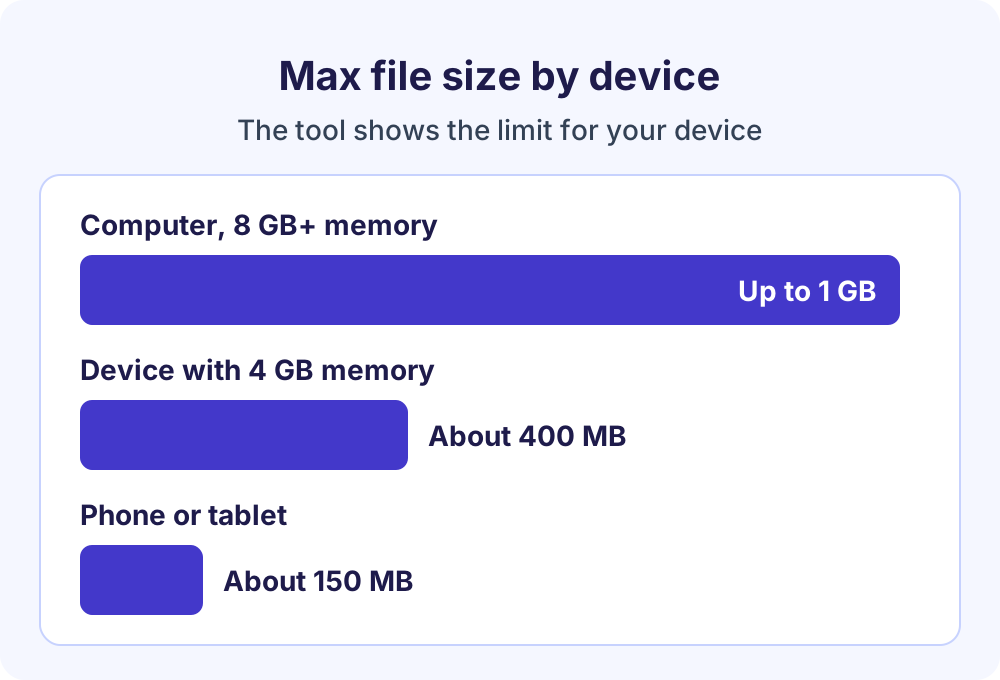
Because these free PDF tools run in your browser, your device’s memory sets the size limit. The tool shows your limit and caps files to avoid crashing the browser:
- Computers with 8 GB or more memory: up to 1 GB per file, or per merge.
- Devices with 4 GB memory: about 400 MB.
- Phones and tablets: about 150 MB.
Password-protected PDFs aren’t supported, and results depend on the file: a mostly-text PDF may barely compress, and a scanned PDF has no text layer for PDF to Word to extract. Every tool is keyboard and screen-reader accessible.
Tips for common PDF jobs
- Emailing a big file: personal Gmail accounts allow 25 MB of attachments per message, so compress large PDFs first.
- Invoices with receipts: make the invoice in the free invoice generator, download the PDF, then merge it with scanned receipts.
- Branded documents: export a design from the letterhead maker as a PDF and merge it with your attachments.
Frequently Asked Questions
Are these free PDF tools really free?
Yes. All seven tools are free with no sign-up, no watermark, no daily task limit and no ads inside the tool, so you can process as many files as you need. The limits are practical, such as 25 files per merge and a size cap set by your device’s memory.
Are my files uploaded to a server?
No. Files are read into your browser’s memory, processed on your device and offered as a download. They’re never sent to Soft Learn Hub or anyone else, and they aren’t stored. To confirm, watch the Network tab in your browser’s developer tools (F12) while a file is processed.
Are online PDF tools free and safe to use?
Many PDF tools online are free, but many also upload your document to a server, so safety depends on how that provider stores and deletes files. Free PDF tools that run in your browser avoid the upload, keeping contracts, IDs and tax forms on your device.
What is the maximum file size?
That depends on device memory: up to 1 GB per file or per merge on computers with 8 GB or more, about 400 MB on 4 GB devices, and about 150 MB on phones and tablets. PDF to Word also has its own cap of 200 MB or 2,000 pages.
Can I use password-protected PDFs?
Not yet. Encrypted, password-protected PDFs aren’t supported, and the tool tells you when it finds one. Open the file in an app where you know the password, save an unprotected copy and use that. Only remove passwords from documents you own or are allowed to change.
Do the PDF tools work on iPhone and Android?
Yes. The tools run in current Chrome, Edge, Firefox and Safari on mobile and desktop, so they work on iPhones, iPads and Android devices. Phones and tablets have less memory, so their limit is about 150 MB; use a computer with 8 GB or more for bigger files.
Can I use more than one tool on the same file?
Yes. After a result, choose “Continue with another tool” to send the output to another tab without selecting the file again. For example, merge several PDFs and then compress the merged file, or turn photos into a PDF and merge it with other documents.
Next steps
For a full guide to one job, open its page: Merge PDF, Split PDF, Compress PDF, PDF to Word, PDF to PNG, PNG to PDF or HEIC to PDF.
These free PDF tools pair well with the invoice generator for business paperwork, and you can browse all free Soft Learn Hub tools.