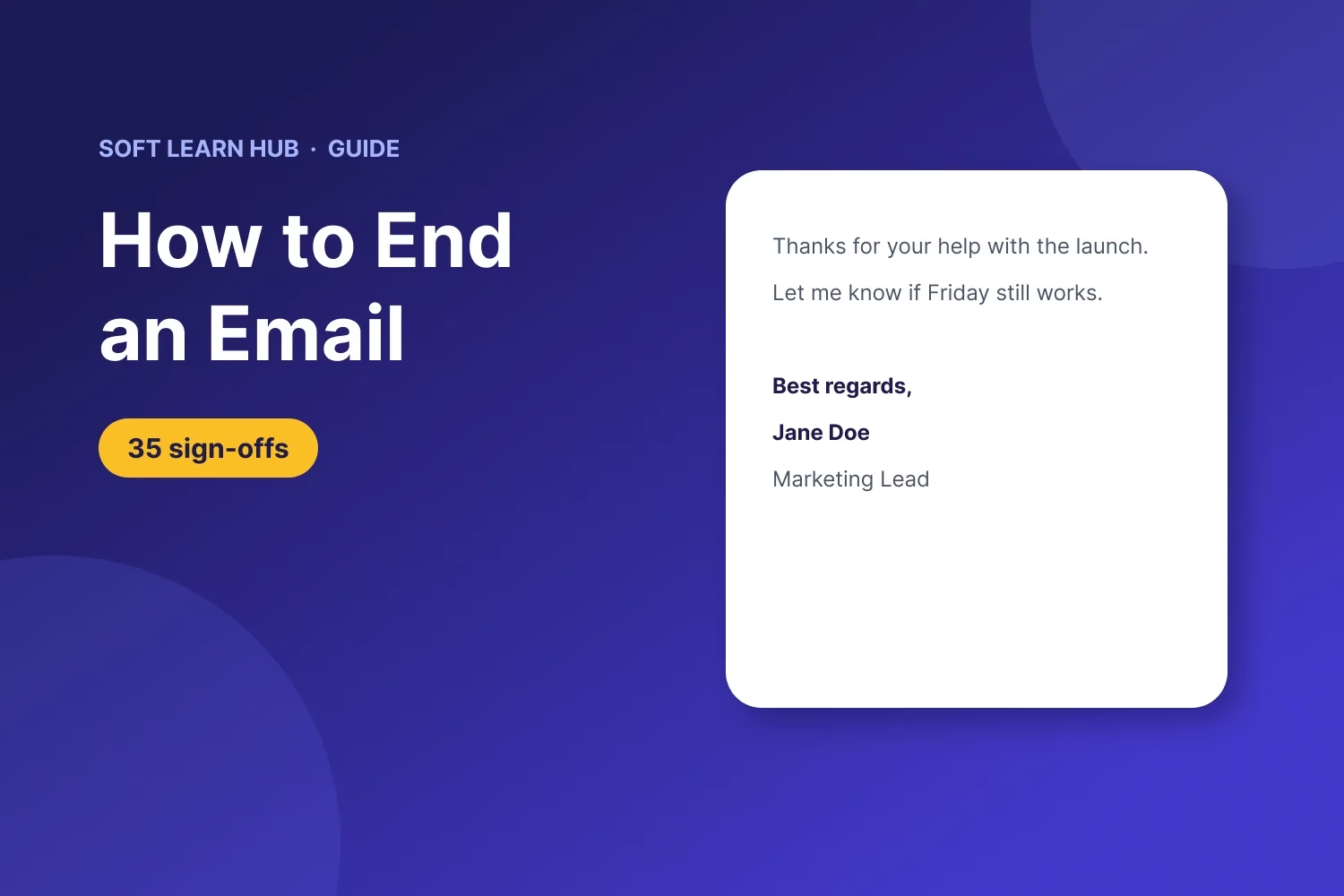
Knowing how to end an email comes down to three parts: a closing line that states the next step, a sign-off that fits your relationship with the reader, and your name with a short signature. For most business emails, “Best regards,” “Thanks,” or simply “Best,” is a safe, professional choice.
The ending is the last thing a client reads before they decide whether to reply, pay or book a call. This guide is for freelancers, small business owners and anyone who writes work email. You’ll get 35 email sign-offs grouped by tone, the endings to avoid, and ready-to-use examples for common situations.
In this guide
Key takeaways
- A strong email ending has three parts: a closing line, a sign-off and your signature.
- Make the closing line specific. “Could you confirm by Friday?” beats “Let me know.”
- “Best regards,” “Kind regards,” “Thanks,” and “Best,” work for almost any business email in the US.
- Match the sign-off to the relationship. Go formal with new contacts and relax as the client does.
- Skip abbreviations, overly casual closers and anything that sounds passive-aggressive.
The three parts of a good email ending
Most people think only about the sign-off, but the words just above it do more work. Here’s how the pieces fit together.
1. The closing line
This is the last sentence of the body. It tells the reader exactly what happens next: what you need, by when, or what you’ll do. A clear closing line is the difference between a reply today and a thread that goes quiet.
2. The sign-off
The sign-off (also called the complimentary close) is the short phrase before your name, such as “Best regards.” It sets the tone. In US business email, it’s followed by a comma, and your name goes on the next line.
3. Your name and signature
Use your first name for people you know and your full name for new contacts. Below that, a short signature with your title, business name and one phone number makes it easy to reach you. Our freelancer invoicing guide shows why consistent contact details also matter on invoices.
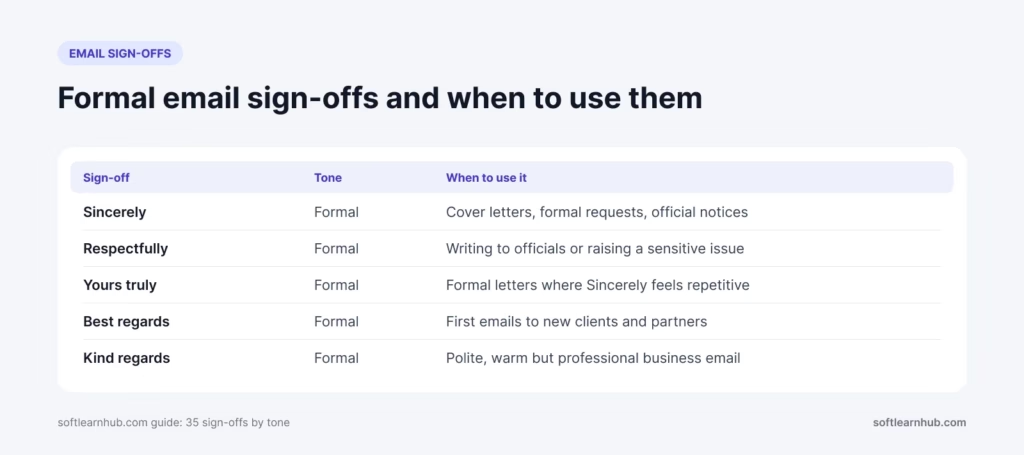
How to end an email, step by step
- Write a closing line with one clear next step. Ask a direct question or state your plan.
- Choose a sign-off that matches the tone. Look at how the other person signs off and stay at their level of formality or one step above.
- Add a comma after the sign-off and put your name on its own line.
- Add your signature with your title, company and the best way to reach you.
- Reread the last three lines. Check names, dates and attachments, and remove old quoted text you don’t need.
Email sign-offs: 35 options grouped by tone
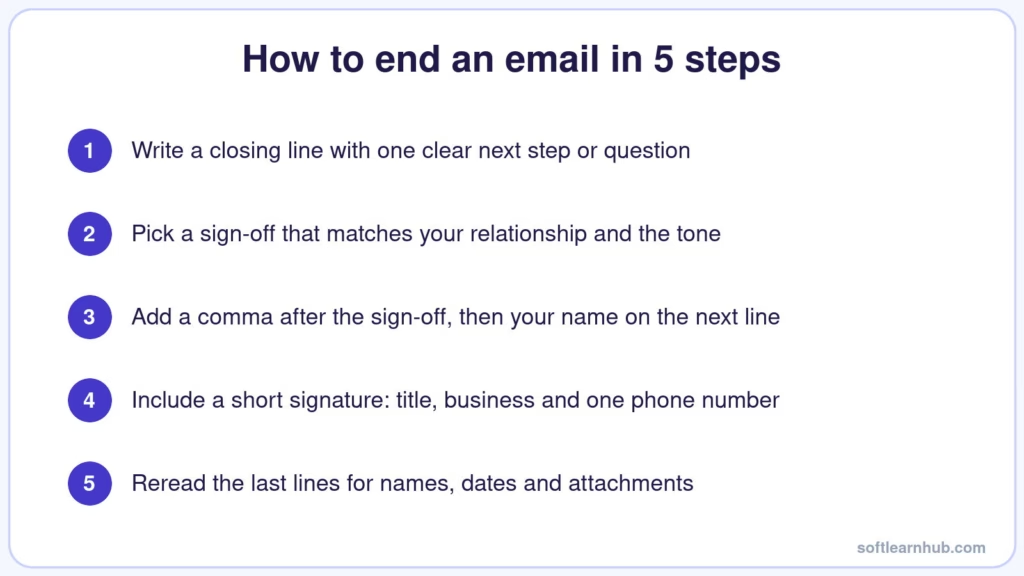
Use this table to pick a sign-off quickly. Formal options suit first contact, legal or financial topics and senior people. Neutral options fit most day-to-day business email. Friendly options work once you have a relaxed working relationship.
| Sign-off | Tone | When to use it |
|---|---|---|
| Sincerely | Formal | Cover letters, formal requests, official notices |
| Respectfully | Formal | Writing to officials or raising a sensitive issue |
| Respectfully yours | Formal | Very formal letters, government or legal contacts |
| Yours truly | Formal | Formal letters where Sincerely feels repetitive |
| Best regards | Formal | First emails to new clients and partners |
| Kind regards | Formal | Polite, warm-but-professional business email |
| Warm regards | Formal | Professional contacts you have a good rapport with |
| Regards | Formal | Short, neutral notes; can feel cool on its own |
| With appreciation | Formal | Thanking someone for a favor or referral |
| With gratitude | Formal | Heartfelt thanks, such as after a big project |
| Thank you for your time | Formal | After a meeting request or job application |
| Thank you for your consideration | Formal | Proposals, bids and applications |
| Best | Neutral | Everyday business email; quick and safe |
| All the best | Neutral | Wrapping up a project or a one-off exchange |
| Best wishes | Neutral | Friendly but still professional notes |
| Thanks | Neutral | Emails that ask for something |
| Thank you | Neutral | Slightly more formal than Thanks |
| Many thanks | Neutral | When someone has done real work for you |
| Thanks again | Neutral | Follow-ups after you’ve already thanked them |
| Thanks in advance | Neutral | Routine requests; can sound presumptuous for big asks |
| Looking forward to hearing from you | Neutral | When you’re waiting on a reply or decision |
| Looking forward to working with you | Neutral | After a deal is agreed or a kickoff call |
| Have a great day | Neutral | Light, positive close for routine messages |
| Speak soon | Neutral | When a call or meeting is already planned |
| Cheers | Friendly | Relaxed clients and peers; common in creative fields |
| Take care | Friendly | Contacts you know well |
| Warmly | Friendly | Personal notes, thank-yous, community work |
| Talk soon | Friendly | Ongoing conversations with regular clients |
| See you soon | Friendly | Before an in-person meeting or event |
| Thanks a ton | Friendly | Casual thanks to a colleague or long-time client |
| Have a great weekend | Friendly | Emails sent on Thursday or Friday |
| Enjoy your week | Friendly | Monday or Tuesday check-ins |
| Stay well | Friendly | Caring close for someone you know |
| Happy Friday | Friendly | Light end-of-week notes to people you know |
| Catch you later | Friendly | Quick internal notes to teammates |
If you’re unsure, “Best regards” for a first email and “Best” or “Thanks” after that will rarely be wrong.
Email endings to avoid
Some email endings send the wrong signal, even when you mean well. Watch out for these:
- No sign-off on a first email. Jumping straight to your name feels abrupt. In a fast back-and-forth thread, dropping it is fine.
- Abbreviations like “Thx” or “Rgds.” They look rushed. Typing the full word takes a second.
- “Love,” “XOXO” or heart emoji. Keep these for friends and family.
- “Sent from my iPhone” as your only sign-off. It explains typos but not who you are. Add your name, or set up a mobile signature.
- Passive-aggressive closers. “Per my previous email” or “As I already said” sour the relationship. Restate the point politely instead.
- Overly stiff closers in casual threads. “Respectfully yours” on a quick reply to a regular client feels odd.
- Vague closing lines. “Let me know if you have any questions” is fine occasionally, but it doesn’t ask for anything. Say what you actually need.
- Quotes, slogans or long legal text above your name. They push your contact details out of sight.
Closing lines that move things forward
The line before your sign-off should make replying easy. Pick one that fits your goal:
- To get a decision: “Could you confirm which option you prefer by Thursday?”
- To book a call: “Does Tuesday at 2 p.m. ET or Wednesday morning work for a 20-minute call?”
- To get paid: “The invoice is attached and due on March 15. Reply here if anything needs adjusting.”
- To set expectations: “I’ll send the first draft by Monday afternoon.”
- To show appreciation: “Thanks for the quick feedback; it made the revisions easy.”
- To close a loop: “No reply needed. I just wanted you to have this for your records.”
How to sign off an email in common situations
Here’s how to sign off an email in situations freelancers and small businesses face every week. Swap in your own details.
Ending a cold email or pitch
“If this sounds useful, I’d be happy to share two sample layouts on a 15-minute call next week. Would Tuesday or Wednesday suit you better?
Best regards,
Jane Doe
Freelance Web Designer”
Ending an invoice email
“The invoice for October is attached and due within 14 days. You can pay by bank transfer or card using the link in the PDF.
Thanks again for a great project,
Jane”
Need a clean invoice to attach? Our free invoice generator builds one in a couple of minutes.
Ending a follow-up email
“I know things get busy, so I’m bumping this to the top of your inbox. Could you let me know by Friday whether we’re still on for the November launch?
Thanks,
Jane”
Ending a reply to a complaint
“I’m sorry the delivery was late. I’ve refunded the shipping fee, and your replacement ships tomorrow with tracking. Please reply directly to me if anything else goes wrong.
Kind regards,
Jane Doe
Owner, Example Studio”
Ending a thank-you email
“Thank you for the referral to Alex. We’ve booked a kickoff for next week, and I’ll keep you posted.
With appreciation,
Jane”
Ending a quick internal note
“Uploaded the final files to the shared folder. Shout if anything’s missing.
Cheers,
Jane”
Make every email end the same way with a signature
A saved signature means you never forget your contact details, even when you’re answering from your phone. Keep it short: name, title, business, phone and website. A matching letterhead for proposals and contracts helps your brand look consistent, and you can make one with our free letterhead maker.
In Gmail, go to Settings, then See all settings, add your text in the Signature section and click Save Changes at the bottom of the page. Google’s help page on creating a Gmail signature also notes that a signature can hold up to 10,000 characters.
In new Outlook for Windows and Outlook on the web, go to Settings, then Accounts, then Signatures. Microsoft’s guide to creating an email signature in Outlook also covers classic Outlook and shows how to add the signature to new messages, replies and forwards automatically.
If you write a lot of email, an AI writing assistant can suggest closing lines too. See our roundup of AI tools for marketing for options, and always edit the draft so it sounds like you.
Frequently asked questions
What is the most professional way to end an email?
End with a specific closing line, then “Best regards,” or “Kind regards,” followed by your full name and a short signature. That combination works for new clients, senior contacts and formal requests. Once the other person relaxes their tone, you can switch to “Best” or “Thanks.”
Is “Best” a good email sign-off?
Yes. “Best” is short, neutral and widely used in US business email, so it’s a safe default for everyday messages. Some people find it a bit clipped, so use “Best regards” for first contact or formal emails and save “Best” for ongoing conversations.
Do you put a comma after an email sign-off?
In US business email, yes. Put a comma after the sign-off, such as “Kind regards,” and then write your name on the next line. Don’t add a comma after your name. If the sign-off is a full sentence, like “Thanks for your help,” the comma still goes at the end.
Is “Thanks in advance” rude?
It isn’t rude, but it can feel presumptuous because it thanks someone for work they haven’t agreed to do. It’s fine for small, routine requests. For bigger asks, use “Thank you for considering this” or simply “Thanks,” and thank them properly once they’ve helped.
Do you need a sign-off in every reply?
No. On the first email of a thread, use a sign-off and your name. In a quick back-and-forth with the same person, it’s normal to drop the sign-off and just write your first name, or nothing at all. Bring it back when the topic or audience changes.
The bottom line
The best email endings are clear about the next step, polite without being stiff, and easy to reply to. Pick a sign-off from the table that matches the relationship, add your name and a short signature, and you’re done. If your ending asks for payment, make sure the invoice looks just as professional: our guide to invoicing as a freelancer walks you through it.