Interfaces planned around real user tasks, built as a reusable Figma design system, and handed to developers ready to build.
What you get
Good interface design is less about decoration and more about removing friction between a visitor and the task they came to finish. We design websites, web apps and stores in Figma, from rough wireframes to a polished component library. Every screen is built with auto layout and variables, so spacing, colours and type stay consistent and can be changed in one place. If your team is new to these features, our Figma auto layout guide explains how they work. The result is a file your developers can inspect and build from without guessing.
Lightweight UX research
We review your analytics, support questions and competitor flows, then map the key user tasks before any visual design starts.
Reusable design system
Components, variants and variables for colour, spacing and type, plus your logo and brand kit, organised in one shared Figma library.
Clickable prototypes
Interactive Figma prototypes let you test navigation, forms and key journeys on desktop and mobile before a single line of code.
Accessible by default
Colour contrast, visible focus states, readable type sizes and clear error messages are checked against WCAG 2.2 criteria during design.
Problems we fix
Most design problems show up later as development delays, inconsistent pages or visitors who leave halfway through a form. They usually trace back to a few causes: screens designed one at a time without shared components, decisions made without looking at how people actually use the product, and files that developers cannot read reliably. We look for these patterns in your current site or Figma files first, then fix the root cause rather than repainting the surface. Many of these fixes also support SEO-friendly website design.
- Inconsistent interface
- Buttons styled differently on every page
- Hard-coded colours instead of variables
- Detached components nobody can update
- No clear type or spacing scale
- Confusing user journeys
- Navigation labels users do not recognise
- Long forms with unclear errors
- Key actions hidden below the fold
- Mobile layouts treated as an afterthought
- Painful developer handoff
- Missing hover, focus and empty states
- Unnamed layers and messy frames
- Specs scattered across chat threads
- No record of design decisions
How we work
Each project follows the same five steps, adjusted to its size.
- Discovery. We review your goals, audience, current site or app, analytics and any brand assets, then agree on the core user tasks the design must make easy.
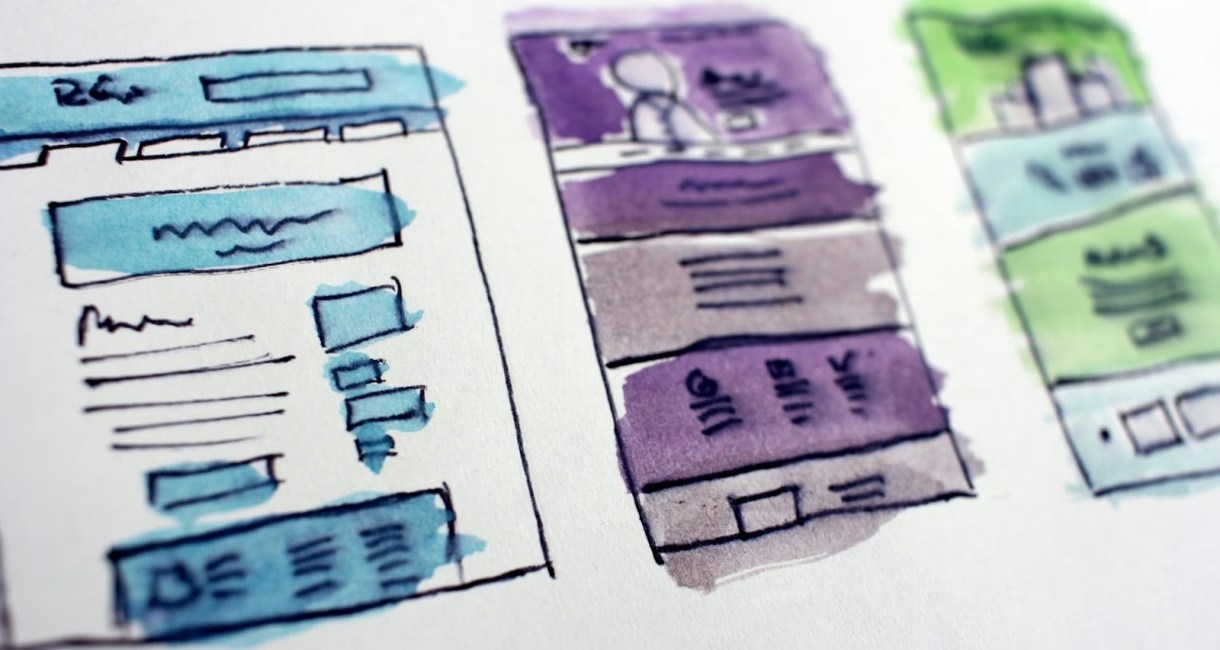
- Wireframes. Low-fidelity layouts in Figma define structure, content order and navigation, so we settle what goes where before spending time on colour, imagery or detailed styling.
- Design system and visual design. We build components with auto layout and variables, add your logo and brand kit, then design the full screens for desktop and mobile breakpoints.
- Prototype and usability check. We link screens into a clickable prototype, walk through the key tasks with you or a few real users, and fix the friction points we find.
- Developer handoff. Final frames are marked ready for development in Dev Mode, with named layers, documented states and annotations, and we stay available for developer questions during the build.
What's included
| Deliverable | What it covers |
|---|---|
| UX discovery notes | User tasks, content priorities and issues found in your current site or app |
| Wireframes | Low-fidelity layouts for every agreed page or screen type |
| Figma design system | Components, variants, variables, type scale and your logo and brand kit |
| High-fidelity screens | Desktop and mobile designs, including hover, focus, error and empty states |
| Interactive prototype | Clickable flows for the key journeys, shareable by link |
| Dev Mode handoff | Frames marked ready for development, annotations and an accessibility checklist |
Scope depends on the number of screens, how much of a design system already exists and whether you need branding work. We start with a free review of your current product or brief, then send a written proposal with deliverables, timeline and a project quote. Nothing starts until you approve it.
Popular questions
These are the questions people ask most before starting a Figma design project with us. If yours is not here, email contact@softlearnhub.com or use the contact page.

Do I need a paid Figma account to work with you?
No. We create and host the working file, and you can view, comment on and test the prototype with a free account. Your developers will want a Dev or Full seat on a paid Figma plan to use Dev Mode for inspecting specs. At handoff we can transfer the file to your own team so you keep full ownership.
What is the difference between UI design and UX design?
UX design decides how a product works: which tasks matter, what order steps follow and how people find what they need. UI design decides how it looks and responds: layout, colour, type, components and interaction states. We treat them as one job, because a polished screen still fails if the flow behind it confuses the visitor.
Can you also build the website after the design is approved?
Yes. Design and build can be handled together, which removes a handoff between two separate teams. Our website development service takes the approved Figma file into a fast, responsive site. If you already have developers, we hand over the file through Dev Mode and answer their questions while they build.
How do you make designs accessible?
We check text contrast against the WCAG 2.2 AA ratios of 4.5:1 for normal text and 3:1 for large text, and check non-text elements such as input borders and icons. We design visible focus states, keep touch targets comfortable, write clear error messages and never rely on colour alone to show status. Developers still need to implement semantic code to complete the job.
Do you redesign an existing product or only start from scratch?
Both. For an existing site or app we first audit current screens, extract repeated patterns into a proper component library and fix the flows causing the most friction. That keeps what already works and avoids a risky full rebuild. For new products we start at discovery and wireframes, then build the design system as the screens take shape.