
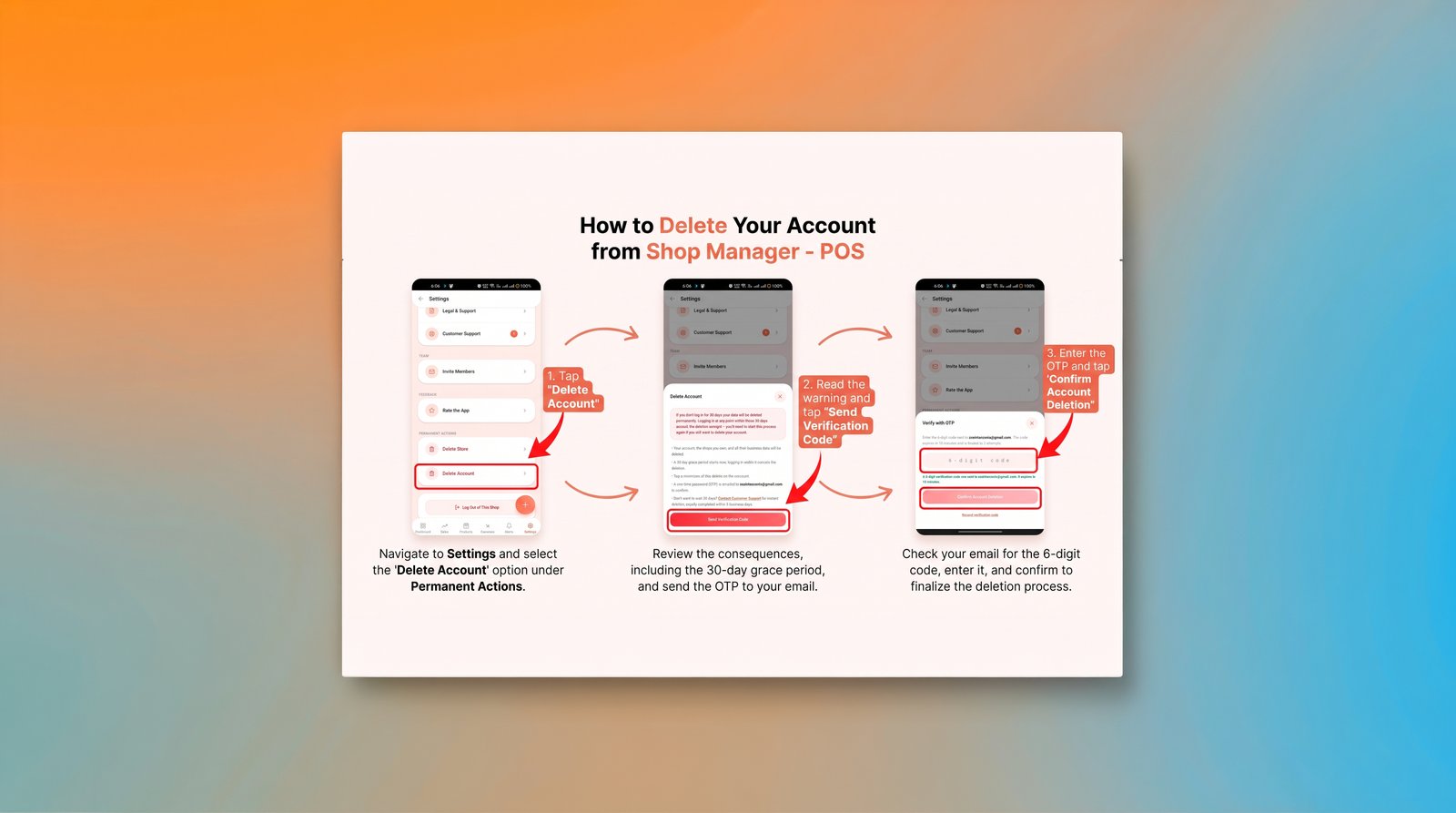
How to delete your account & data
In the Shop Manager – POS App, go to Settings > Delete Account. You will be asked to confirm with a one-time password sent to your email. and confirm your request. Your account will enter a 30-day grace period and will be completely removed if you do not sign in within that timeframe. To delete a single shop instead, use Settings > Delete Store. If you cannot access the Shop Manager – POS App, email contact@softlearnhub.com from your registered address and we will process your request.